Help
How to edit your book
You can change the text and the illustrations yourself — it takes a couple of minutes. Here’s how.
- 1
Open the book in your library
First, find the book you want to change.
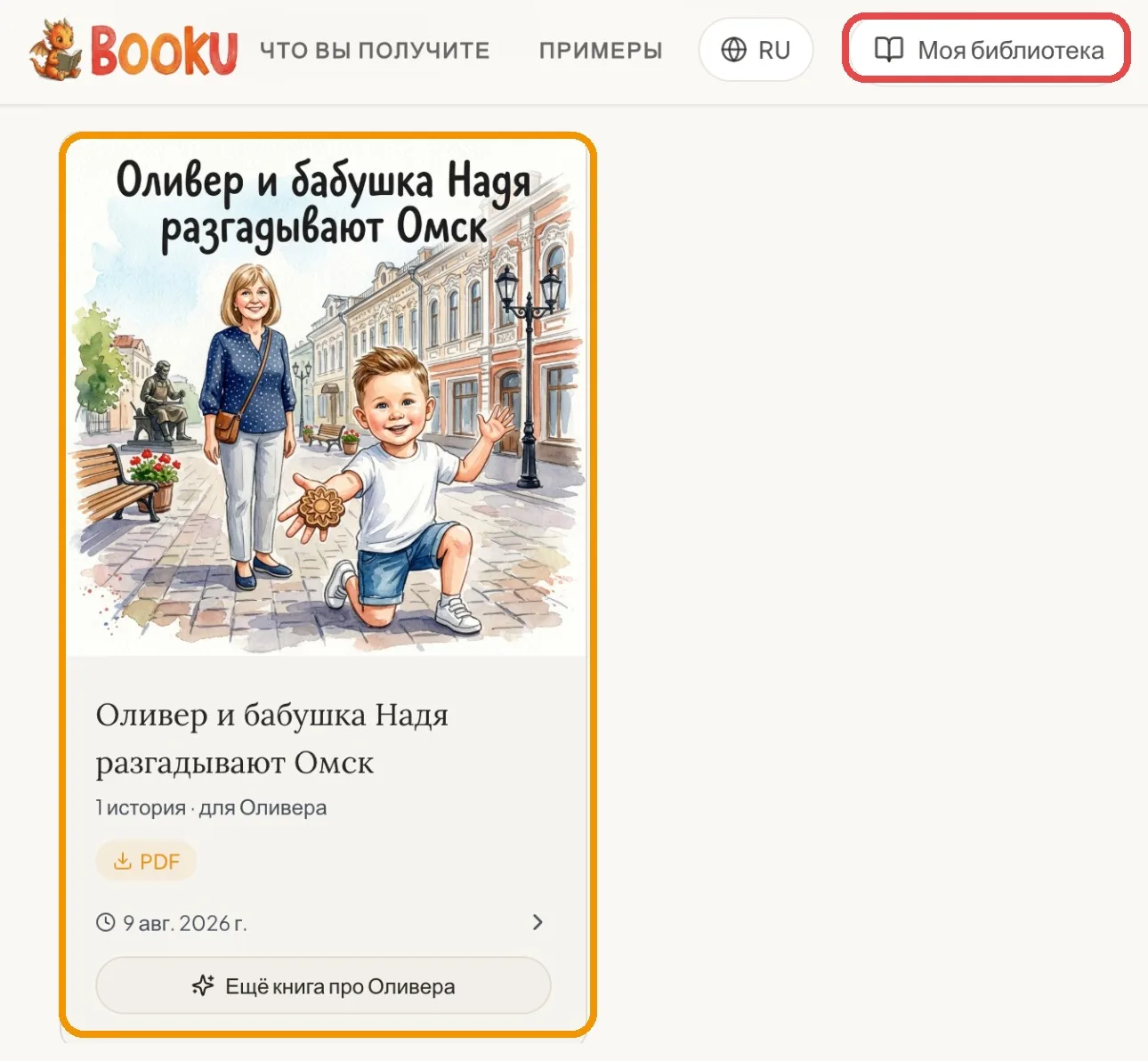
- 1Tap “My Library”.
- 2Choose the book.
Open the page where you want to change the text or the illustration.
- 2
How to change the text
Open the page you want to change.
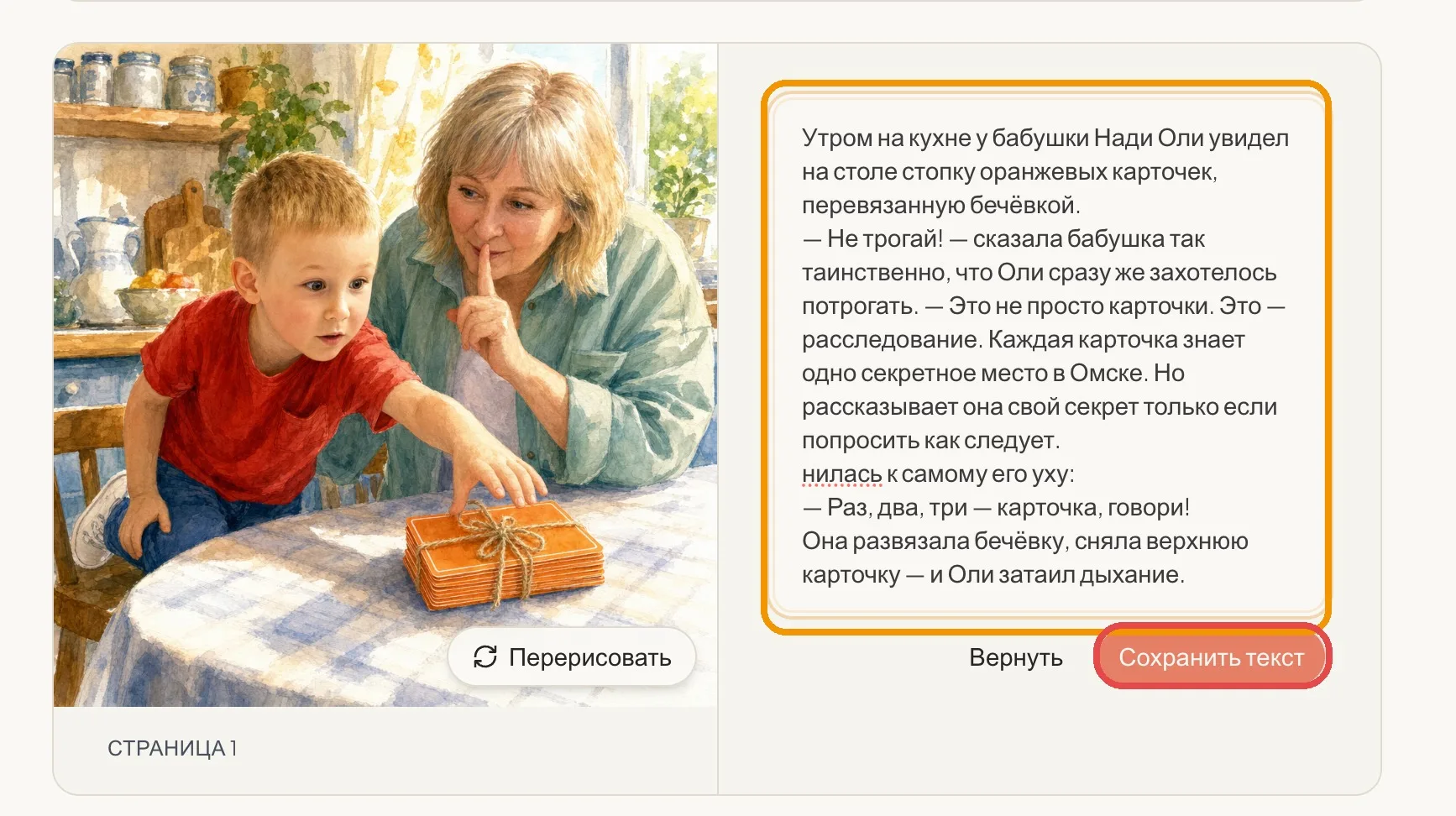
- 1Tap the text and edit it right in the field.
- 2Tap “Save the text”.
Your changes are saved for that page.
- 3
How to change an illustration
On the page, tap “Regenerate” under the picture and describe what to change — for example, “Grandma doesn’t look like herself”.
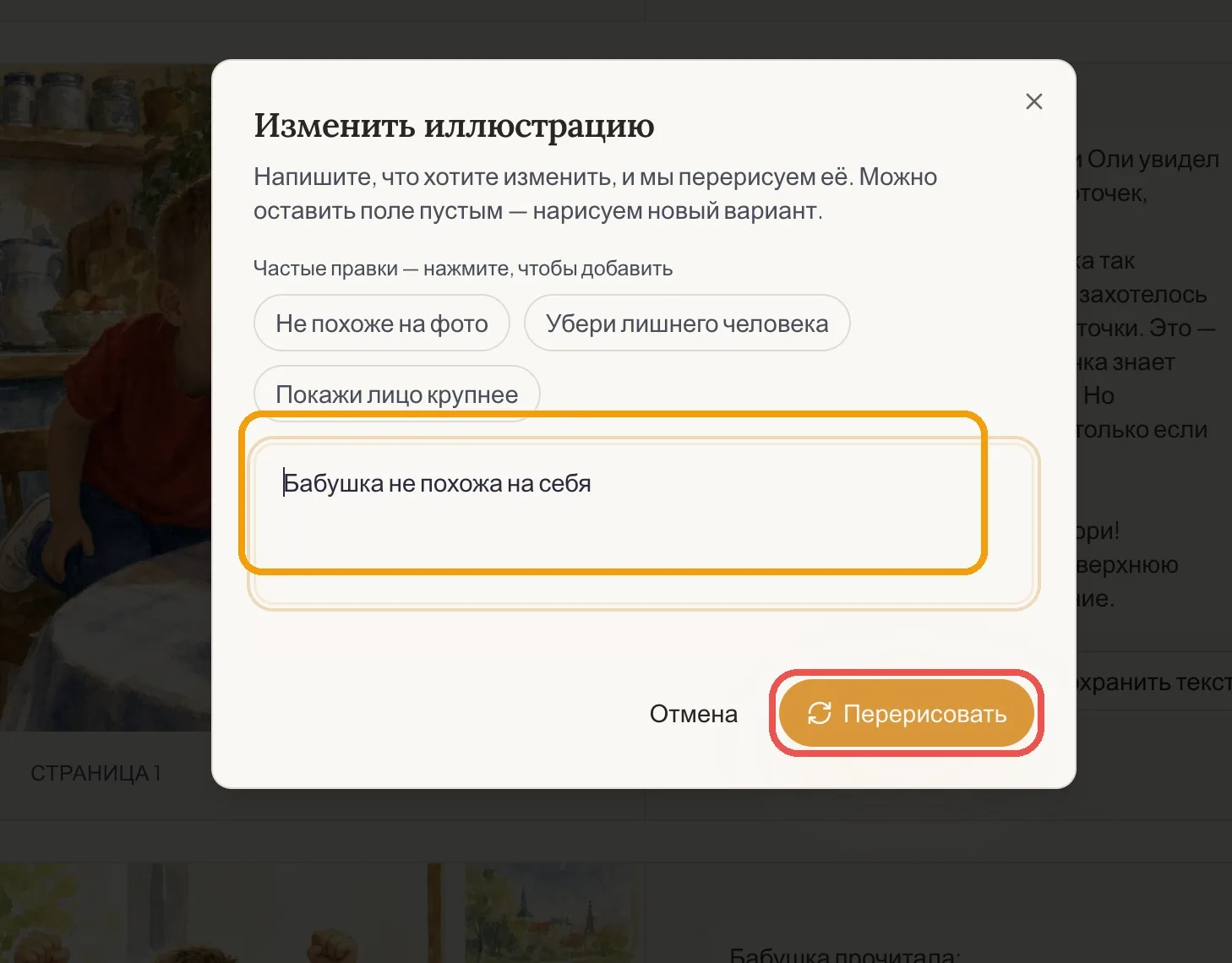
- 1Write your request in the field.
- 2Tap “Regenerate”.
You can also tap a quick suggestion: “Doesn’t look like…”, “Remove the extra person” or “Show … face closer”.
If you ordered a printed book
After you pay for the printed book, you have 12 hours to make changes — then it goes to print and can’t be changed. So leaf through the whole book once more before you order.
Stuck, or need a hand?

Nadya Tsech
Booku’s founder — I answer every email myself
Write to me — I’ll help with the text, photos, illustrations or a book that’s already finished.
Write to me — info@booku.design